
StarSnap: Sports Card Scanner
Next Vision LimitedTools
4.71.52K Reviews
- Version
- 1.1.1
- Installs
- 100.00K
- Age Rating
- Everyone
Screenshots
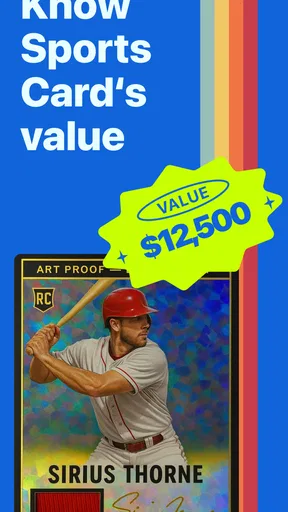
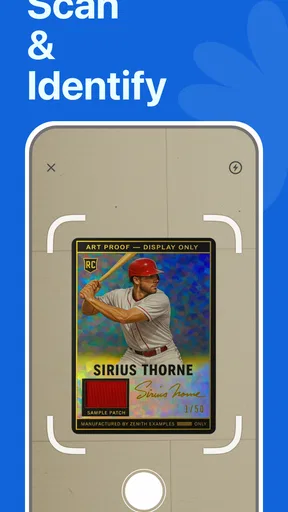
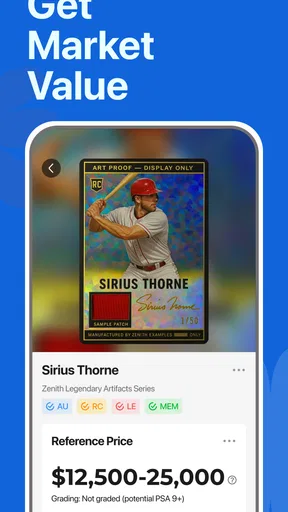
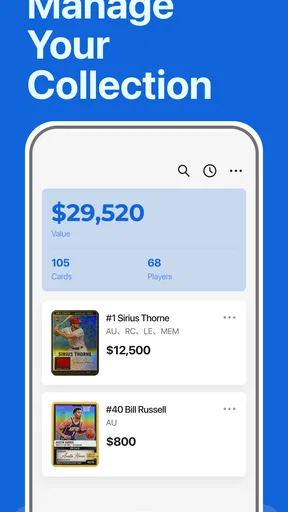
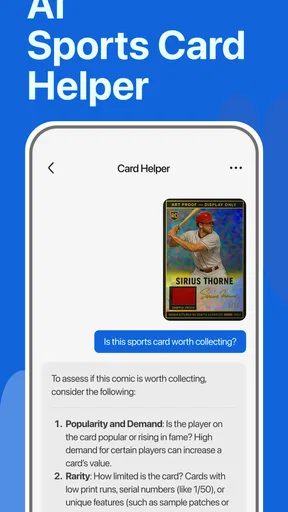
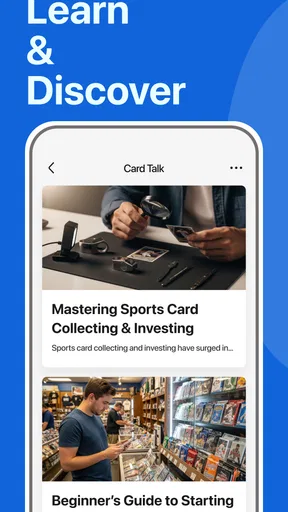

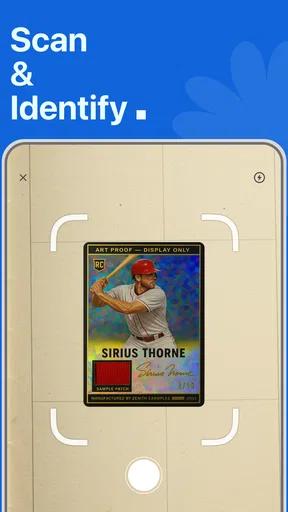
Our Review of StarSnap: Sports Card Scanner
 Analysis by Appyee
I approached StarSnap as a practical tool rather than a collector’s novelty: can it help me identify sports cards, estimate their market value, and keep a collection easier to manage? That is the right test for an app from Next Vision Limited, because scanning a card is only useful when the result helps with a real decision. After spending time with its workflow, I found an app aimed at people who want a quicker starting point than searching every card manually, while still leaving room for the user to check details before trusting an estimate.
The app is free to download and sits in the Tools category, with a Everyone content rating. Its store presence is encouraging, showing a 4.7 average from around 19 thousand ratings and more than 100 thousand installs. Those figures suggest that the basic idea is connecting with collectors, but they do not remove the need for caution. A card scanner can save time, yet condition, edition, grading, recent sales, and image quality can all affect whether an identification or value estimate is genuinely useful.
What StarSnap is really useful for
The main appeal is simple: instead of typing a long card description into a search engine, I can use the phone’s camera as the first step. StarSnap: Sports Card Scanner is built around sports card identification, market-value checking, and collection organization. That combination makes more sense than a scanner that stops after naming a player, because collectors usually want to move from “What is this?” to “What might it be worth?” and then to “Where do I keep track of it?”
I would especially recommend it for someone sorting a mixed box of cards. A casual collection often contains several years, sets, teams, and variations, and manual research becomes tiring surprisingly quickly. A scan-first workflow gives each card a place to begin. It can also help a newer collector learn the visual differences between cards instead of relying on memory or guessing from a player’s name alone.
There is a useful distinction between identification and valuation. Even when the app recognizes the correct card, the market value should be treated as a reference point, not a guaranteed selling price. A card’s condition may be difficult to judge from a photograph, and small differences such as parallels, numbering, signatures, short prints, or grading can matter enormously. I would use the estimate to decide which cards deserve closer research, not as the only reason to buy, sell, or insure something.
The collection side is potentially just as important as the scanner. A collection tool becomes valuable when it reduces repeated work. If I scan a card once and record it in an organized way, I can later review what I own without opening boxes or making another identification attempt. That is the sort of quiet convenience that matters after the initial excitement has worn off.
A realistic sorting session
Imagine coming home with a small stack of cards from a flea market or a family storage box. I would first clean the phone lens, place one card flat under even light, and scan it without a sleeve glare covering the printed details. After checking the result, I would compare the displayed identity with the card itself, especially the year, set design, team, and any visible variation. Only then would I add it to my collection and move to the next card.
That extra checking step is not wasted time. It prevents a common mistake with image-based tools: accepting a plausible match because the player or team looks right. When several cards share similar photography or design, a quick visual confirmation can be the difference between a useful collection record and a misleading one. My practical advice is to scan in batches, but review each result before treating it as final.
Where the developer and reputation fit
Next Vision Limited is the developer behind the app. The current version is 1.1.1, and the app was released on January 28, 2026. Since a card database and recognition workflow can evolve as users encounter unusual editions, I would pay attention to how comfortable the app feels with less common cards rather than judging it only by easy, popular examples.
The visible rating is a positive first signal, but collectors should still form their own view. A high average can reflect a smooth experience for common cards while saying less about obscure sets, damaged cards, foreign releases, or cards with multiple near-identical variants. In my view, the best way to assess it is to test a small representative sample from your own collection before committing to a large cataloging project.
Controls, privacy choices, and moments that deserve care
Trust matters more here than it might in a simple flashlight or calculator app. A card scanner normally needs access to the camera at the moment you take a picture, and that is a clear, understandable user choice: allow it when scanning, deny it when you are not using that part of the app, and review the permission later if your habits change. I prefer that kind of deliberate control to granting broad access automatically.
I would also avoid scanning cards in places where unrelated personal information is visible in the background. A desk may contain shipping labels, receipts, addresses, or other collection notes. Keeping the card and a plain surface inside the camera frame is good practice for both recognition accuracy and personal privacy. It also reduces visual clutter, which can make the scan easier to review.
There are other data-sensitive moments to consider. If the app lets you create a digital collection, think carefully about what you record in notes or labels. A simple card title is different from adding purchase details, storage locations, insurance information, or identifying information about another person. I would keep records focused on the collection itself and avoid entering anything that the app does not need for that purpose.
Account controls deserve the same attention. If the app presents an option to create or use an account, I would choose the smallest amount of information needed to make the feature useful and check whether the app offers a way to manage that account later. If I were only testing recognition, I would not rush to build a complete collection until I understood how the saving workflow suits me.
In-app purchases range from $7.99 to $39.99 per item. That makes the free starting point useful, but it also means I would inspect each purchase screen before confirming anything. A collector can easily become more willing to pay after scanning a large box, especially when the app has already saved time. My rule would be to test the core workflow first, decide whether the results are accurate enough for my cards, and only then consider whether an optional purchase solves a real problem.
The app is suitable for Everyone, but that age label should not be confused with financial advice. Younger users may enjoy organizing cards, while buying or selling valuable collectibles is a separate decision that should involve an adult. I would also avoid presenting an app estimate to someone else as proof of a card’s exact worth. Market information changes, and a digital result cannot replace a careful condition check or a comparison with actual sale evidence.
How I would handle uncertain scans
The most important habit is to separate confidence from convenience. If the image is blurry, the card is inside a reflective sleeve, or the design has several similar versions, I would rescan rather than repeatedly accepting the first result. A plain background, indirect light, and a straight camera angle are small changes that can improve the usefulness of the process.
I would also photograph or scan the front and inspect the physical card before recording it. Corners, centering, surface marks, creases, and edge wear are not details I would trust an automated identification step to evaluate perfectly. If the app provides a market figure, I would write down the card identity separately from my own condition notes. That creates a more honest record and makes it easier to revisit the value later.
One non-obvious advantage of this approach is that it turns the app into a triage tool. I do not need every scan to produce a final answer immediately. I can use it to divide a large pile into cards that look ordinary, cards that need a second look, and cards whose identity or value seems important enough for specialist research. That saves effort without pretending that automation replaces expertise.
What it does better than the usual alternatives
The usual alternative is manual searching. That method can be more dependable when I already know the exact set and variation, but it is slow when the collection is mixed or the card information is hard to read. StarSnap’s advantage is the first pass: it gives me a structured starting point instead of forcing me to invent the right search terms.
A spreadsheet offers more personal control. I can choose every column, add my own condition language, and keep the file in a format that is easy to export or edit. However, a spreadsheet does not identify cards for me. StarSnap is better at reducing the initial research burden, while a spreadsheet may be better for a collector who wants detailed accounting, purchase history, selling status, or custom insurance records.
Specialist marketplaces and professional appraisal services remain preferable when the stakes are high. If I were preparing to sell a rare card, disputing a valuation, or making a major purchase, I would use StarSnap as an aid rather than the final authority. Its role is strongest in discovery and organization; expert verification becomes more important as the potential financial consequence rises.
Small workflow choices that make a big difference
Start with ordinary cards before scanning the most valuable item in your collection. This lets you learn how the identification screen behaves without putting too much trust in a single result.
Keep an original condition note beside the app’s identification. “Corners clean, light surface mark” is more useful later than relying on memory after scanning a large batch.
Use consistent lighting and camera distance. Consistency makes it easier to spot when a result changed because of the card rather than because of the photograph.
Separate collection organization from selling decisions. A card can be correctly cataloged even when its market estimate still needs independent checking.
These habits also reveal who should skip the app. If you already maintain a detailed database and enjoy researching every card manually, a scanner may add little beyond convenience. It is also not the right primary tool for someone who needs formal authentication, precise grading, or a guaranteed sale price. In those situations, specialist services and direct market research are more appropriate.
My cautious verdict after using the workflow
I see StarSnap as a useful first layer for collectors who want to turn an unorganized pile into a searchable, more understandable collection. The free entry point lowers the risk of trying it, and the combination of scanning, market-value reference, and organization is more practical than a single-purpose identifier. The strong visible rating and growing install base make it worth considering, but I would still test it against the cards I actually own rather than assuming every result will be equally reliable.
My recommendation comes with one firm boundary: do not confuse speed with certainty. Use the camera to narrow the search, use the collection tools to stay organized, and use your own inspection to record condition. For expensive or unusual cards, confirm the identity and value through additional research before spending or selling. That balanced workflow is where the app makes the most sense.
At no cost to begin, it is easy to see whether the basic experience fits your habits. Just remember that optional purchases can reach $39.99 per item, so I would make any upgrade decision only after the free experience has proved useful. StarSnap is most convincing as a careful collector’s shortcut, not as a replacement for judgment.
Verdict
Strengths of StarSnap: Sports Card Scanner
- Quickly identifies many sports cards using the phone camera.
- Useful for organizing large collections without manual data entry.
- Provides card details that help with basic collection research.
- Simple interface makes scanning accessible for beginners.
- Can save time when sorting cards for trading or selling.
Limitations of StarSnap: Sports Card Scanner
- Recognition may fail with damaged, rare, or poorly photographed cards.
- Card values and market data may not always be current or accurate.
- Requires good lighting and a steady camera for reliable scans.
- Some useful features may be restricted behind a subscription.
- Results can vary depending on the sport and card database coverage.
Other Releases by Next Vision Limited
View All
Rock Identifier: Stone ID
Lifestyle4.5

CoinSnap - Coin Identifier
Tools4.6

Picture Insect: Bug Identifier
Education4.3

Picture Mushroom - Mushroom ID
Education4.1
Similar Picks in This Category
View All
Google LLC4.0

Gboard - the Google Keyboard
Google LLC4.5

Google Play services
Google LLC4.3

Google Play Store
Google LLC4.9

Files by Google
Google LLC4.5

SHAREit: Transfer, Share Files
Smart Media4U Technology Pte.Ltd.4.3
Frequently Asked Questions
What is StarSnap: Sports Card Scanner used for?
StarSnap: Sports Card Scanner is designed to help collectors identify and organize sports trading cards using a smartphone camera. After scanning a card, the app can provide information such as the player, team, season, set, and estimated market value when supported by its database. It is useful for quickly reviewing a collection, although results should be checked manually because card condition, edition, and variations can affect accuracy.
Does StarSnap accurately identify every sports card?
The app can recognize many popular sports cards, but it should not be expected to identify every card perfectly. Older releases, regional editions, autographed cards, parallel versions, unusual designs, and cards with glare or damage may produce incomplete or incorrect results. For the best scan, place the card on a flat, well-lit surface, keep the camera steady, and compare the displayed details with the information printed on the card.
Can StarSnap tell me how much my sports cards are worth?
StarSnap may show estimated prices or market information for cards available in its supported database, which can be helpful for creating a preliminary valuation. However, the displayed amount is not a guaranteed selling price. Value changes according to condition, grading, rarity, demand, recent sales, and the marketplace used. Treat the estimate as a reference and confirm important valuations through reputable sales listings or professional grading services.
Can I use StarSnap to manage and organize my card collection?
The app is intended to make collection management easier by allowing users to scan cards and keep track of identified items in one place, depending on the features available in the current version. It can save time compared with entering every card manually, particularly for larger collections. Before relying on it as your only catalog, check whether your preferred sports, sets, export options, backups, and account synchronization are supported.
Is StarSnap: Sports Card Scanner free to download and safe for collectors?
StarSnap may be available as a free download, but some features can require in-app purchases, a subscription, or an account, so review the store listing and payment terms before starting a trial. Use the official Google Play or Apple App Store listing to download the app and avoid modified versions. Also review its privacy policy, especially if scans, collection data, camera access, or account information are uploaded online.
